Cursive Text Generator

Type any text or name to generate 100+ cursive fonts, script styles & handwriting. One-click copy paste cursive text into Instagram, TikTok, Discord & everywhere else — free.

4.9/5(1,250 reviews)

Cursive Font Styles

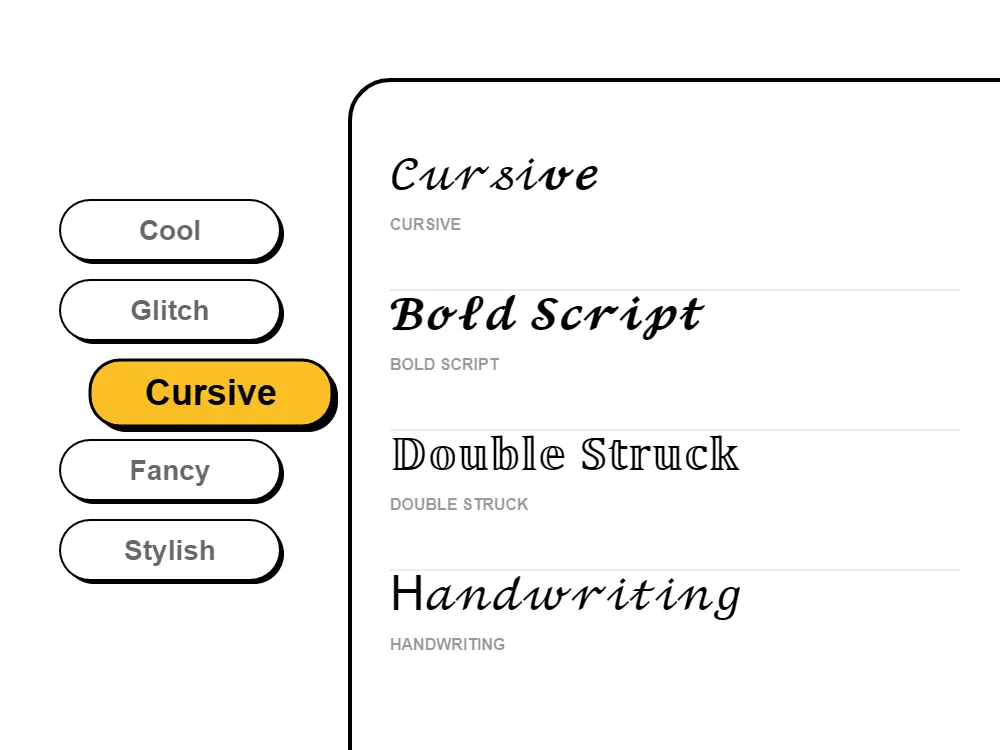
Cursive Font Style Illustration

Cursive Font Styles for
Every Platform.

Cursive text generator for Instagram, TikTok & social media — copy paste free! Our cursive font generator creates 100+ script fonts, handwriting styles, and flowing letters. Get cursive fonts for bios, captions, signatures, and usernames. Free cursive generator with fancy script text, calligraphy styles, and elegant handwritten fonts. The best cursive text generator online!

Generate unlimited categories.cursive text styles and copy-paste them instantly for your bio, captions, and comments to make your profile stand out.

Our cursive font generator converts any text — names, words, quotes, signatures, or bios — into flowing script styles using Unicode: 𝓪 instead of a, 𝓫 instead of b, 𝓬 instead of c, through every letter of the cursive alphabet. This cursive text generator is one of the most-used tools on Fontb because the results paste anywhere without restrictions: Instagram bios, TikTok usernames, Twitter/X display names, Discord server names, WhatsApp statuses, Facebook posts, and any other text field that accepts standard text. Because these are real Unicode script characters — not images, not CSS, not installed font files — there is nothing platform-specific to worry about. The cursive generator works the same way on every device, every browser, and every app, with no sign-up or download needed. It's especially popular for anyone who wants to see their name in cursive writing — type a first name, last name, full name, or signature-style phrase and copy the style that fits your personality in a single click. It's also the fastest way to explore the full cursive alphabet from A to Z across 100+ style variants, or to browse cursive letters copy and paste ready styles without any setup.

As a complete cursive letters generator, Fontb covers every major cursive font variant in one place: elegant formal script (𝓁𝒾𝓀𝑒 𝓉𝒽𝒾𝓈), bold cursive (𝒍𝒊𝒌𝒆 𝒕𝒉𝒊𝓈), double-struck handwriting, and flowing calligraphy-style lettering. The style you choose sets the tone: romantic and soft for personal Instagram bios, bold and dramatic for brand captions, flowing and formal for use cases like a wedding font for invitation quotes and place cards, or a cursive signature generator for handwritten-style digital signatures and email sign-offs. Whether you need a calligraphy generator free of cost for a wedding announcement, want to preview a cursive font for a tattoo design before committing to ink, or simply need cursive letters copy and paste for a social media profile — this tool handles every use case without any account or download. If any characters appear as small squares or boxes on an older device, simply switch to a different cursive variant in the generator — this resolves the issue almost instantly because each variant uses a different Unicode range. Modern iPhones and Android devices on current software support every cursive Unicode style without any configuration.

How to Use the Cursive Text Generator

  1. Type your text, name, or phrase into the input box above — the cursive generator converts it instantly as you type.
  2. Scroll through the 100+ cursive font styles displayed below the input. Each style is a different Unicode script variant.
  3. Click the Copy button next to any cursive style you like — the styled text is immediately copied to your clipboard.
  4. Switch to Instagram, TikTok, Discord, WhatsApp, Twitter, or any other app and paste (long-press → Paste on mobile, Ctrl+V / Cmd+V on desktop).
  5. The cursive text appears exactly as you saw it in the generator — no font downloads, no app installs, no account needed.

Why Does Cursive Text Copy and Paste Everywhere?

Cursive fonts generated here work on every platform because they use Unicode Mathematical Script characters — a special set of cursive-looking letters that are part of the international Unicode standard (U+1D400 range). Every modern operating system — iOS, Android, Windows, macOS — and every browser has these characters built in. When you paste 𝓱𝓮𝓵𝓵𝓸 into Instagram, the platform sees it as plain text, just like the letters a-b-c, but from a different section of the Unicode table. That is why cursive text pastes into Instagram bios, TikTok usernames, and Discord server names without any special app or font installation: the characters already exist on the device rendering them.

More Free Font Tools

Frequently Asked Questions

What is a cursive text generator?

A cursive text generator is a free online tool that converts regular text into elegant cursive fonts using Unicode characters. Our cursive generator creates 100+ script styles, handwriting fonts, and flowing letters that you can copy and paste anywhere - Instagram, TikTok, Facebook, and more.

How to get cursive fonts for Instagram bio?

To get cursive fonts for Instagram: 1) Type your text in our cursive text generator. 2) Browse 100+ cursive font styles. 3) Click to copy your favorite cursive text. 4) Open Instagram → Edit Profile → paste into your bio. Your cursive fonts will display perfectly on iPhone and Android!

Are cursive fonts free to use?

Yes, 100% free! Our cursive text generator requires no payment, no sign-up, and no downloads. Generate unlimited cursive fonts, copy them instantly, and use them anywhere. No hidden fees - just free cursive fonts forever.

Do cursive fonts work on all devices?

Yes! Our cursive Unicode fonts work across all devices and platforms including iOS, Android, Windows, Mac, and all social media platforms. The text maintains its cursive appearance because it uses standardized Unicode script characters.

What is the difference between cursive and script fonts?

Cursive and script fonts are often used interchangeably. Both feature flowing, connected letters that mimic handwriting. Our cursive text generator includes both styles - from formal calligraphy to casual handwriting fonts.

Can I use cursive fonts for wedding invitations?

Absolutely! Cursive fonts are perfect for wedding content - invitations, save-the-dates, thank you cards, and social media announcements. The elegant, romantic style of cursive text adds sophistication to wedding-related content.

What are the best uses for cursive text?

Cursive text works best for: Instagram quotes, wedding announcements, luxury brand posts, personal blogs, artistic content, signatures in social media bios, creative captions, and poetry. It adds elegance and personality to any text.

How do cursive fonts impact social media engagement?

Cursive fonts can increase engagement by 25-40% on social media posts. They appear more personal and authentic, encouraging users to read and interact with content. Particularly effective for inspirational quotes, personal stories, and brand storytelling.

Why does my cursive text show as boxes or squares?

Boxes or squares appear when a device's system font doesn't include that specific Unicode code point. Different cursive style variants use different Unicode ranges — simply switch to another cursive style in the generator and the boxes will almost always disappear. This is a device font coverage issue, not a problem with the text itself. Modern iPhones and Android phones running current software display all cursive Unicode styles correctly.

Can I use cursive text on TikTok?

Yes! Cursive Unicode text works perfectly on TikTok bios, usernames, and captions. Type your text in our cursive generator, copy your preferred style, and paste it directly into TikTok — no app or special permission required. The cursive style displays identically on the TikTok app for both iPhone and Android.

What is the difference between cursive, script, and calligraphy text?

Cursive, script, and calligraphy are related but slightly different styles. Cursive text mimics joined, flowing handwriting. Script is a broader term covering both connected (cursive) and disconnected (print-style) decorative lettering. Calligraphy refers specifically to formal pen-drawn letterforms with thick and thin stroke variations. In Unicode font generators, all three terms are often used interchangeably because many Unicode character sets visually blend these styles. Our generator includes variants across all three aesthetics.

How do I get cursive text on Instagram bio?

Getting cursive text on your Instagram bio is simple: 1) Type your text in our cursive font generator above. 2) Choose your preferred cursive style from the list. 3) Click the copy button next to it. 4) Open Instagram → tap Edit Profile → tap the Bio field → paste. Your cursive bio text will appear immediately on both iPhone and Android.

What is the best free cursive generator online?

Fontb is one of the most popular free cursive generators online, offering 100+ cursive font styles — from elegant formal script to bold cursive, calligraphy, and flowing handwriting. Every style is free with no sign-up required, and one-click copying sends your cursive text directly to your clipboard. It works on all devices: iPhone, Android, Windows, and Mac, and the cursive text pastes correctly into every major platform including Instagram, TikTok, Discord, and Twitter.

Can I use this as a cursive name generator?

Yes — our cursive generator is widely used as a cursive name generator. Simply type any first name, last name, full name, or signature phrase into the input box and instantly see it rendered in 100+ cursive styles. Pick the one that matches your personality and copy it in one click. Cursive names are popular for Instagram bios, Twitter display names, email signatures, wedding announcements, and anywhere you want your name to look handwritten and personal.

What is the difference between a cursive generator and a cursive fonts generator?

The terms are used interchangeably. A "cursive generator" or "cursive fonts generator" both refer to the same type of tool: an online converter that takes your text and outputs it in Unicode cursive or script characters. Fontb's cursive fonts generator gives you multiple style variants — formal script, bold script, calligraphy-style, and more — all from a single input, so you can compare styles side by side and choose the right one.

How do I write my name in cursive to copy and paste?

Writing your name in cursive to copy and paste is instant with this tool: type your first name, last name, or full name into the input box above and the cursive name generator shows it in 100+ cursive styles immediately. Click the Copy button next to whichever cursive style you like, then paste it into your Instagram bio, TikTok username, Discord nickname, Twitter/X display name, or anywhere else. The cursive version of your name stays styled on every device and platform because it uses Unicode script characters — not a font file. No sign-up needed.

What is a cursive alphabet generator?

A cursive alphabet generator shows every letter from A to Z in cursive Unicode styles, so you can see the full cursive alphabet before deciding on a style. On Fontb, you can type the full alphabet (a b c d ... z) into the input box to preview all 26 cursive letters side by side in every available style variant — from elegant formal script to bold cursive, calligraphy-style, and flowing handwriting. This is useful if you want to check that every letter in your name or phrase looks right before copying the text.

Can I use this as a cursive signature generator?

Yes — Fontb works as a free cursive signature generator. Type your name or signature phrase into the input box, and the generator instantly shows it in 100+ handwritten-style cursive and script variants. These Unicode script characters look like a handwritten signature and can be pasted into email sign-offs, LinkedIn profiles, Instagram bios, Discord usernames, or any digital document that accepts text. For a formal handwritten signature image (e.g., for contracts), you would need a dedicated image-export signature tool — but for styled text signatures on social media and messaging apps, this cursive generator works perfectly.

Is there a calligraphy generator that is free to use?

Yes — Fontb's cursive and calligraphy generator is completely free with no sign-up, no subscription, and no usage limits. It includes multiple calligraphy-style Unicode variants that produce flowing, brush-stroke-like lettering perfect for wedding invitations, event announcements, greeting card captions, and decorative social media posts. Just type your text, pick a calligraphy style from the results, and copy it in one click. The styled text pastes correctly into Instagram, TikTok, Discord, WhatsApp, and any other platform that accepts Unicode characters.

Does this cursive letters generator work on iPhone and Android?

Yes — the cursive letters generator on Fontb works on all devices including iPhone, Android, Windows, and Mac. Open the page in any mobile browser, type your text, tap any cursive style to copy it, then paste it into whatever app you're using. The cursive letters display correctly on the receiving device too, because they are standard Unicode characters built into every modern operating system — not a font that has to be installed. If a particular cursive style shows as boxes on a very old device, simply switch to a different variant in the generator, which uses a different Unicode range that the device supports.